
Interactive floor plans & wayfinding
Swapcard + ExpoFP Integraton
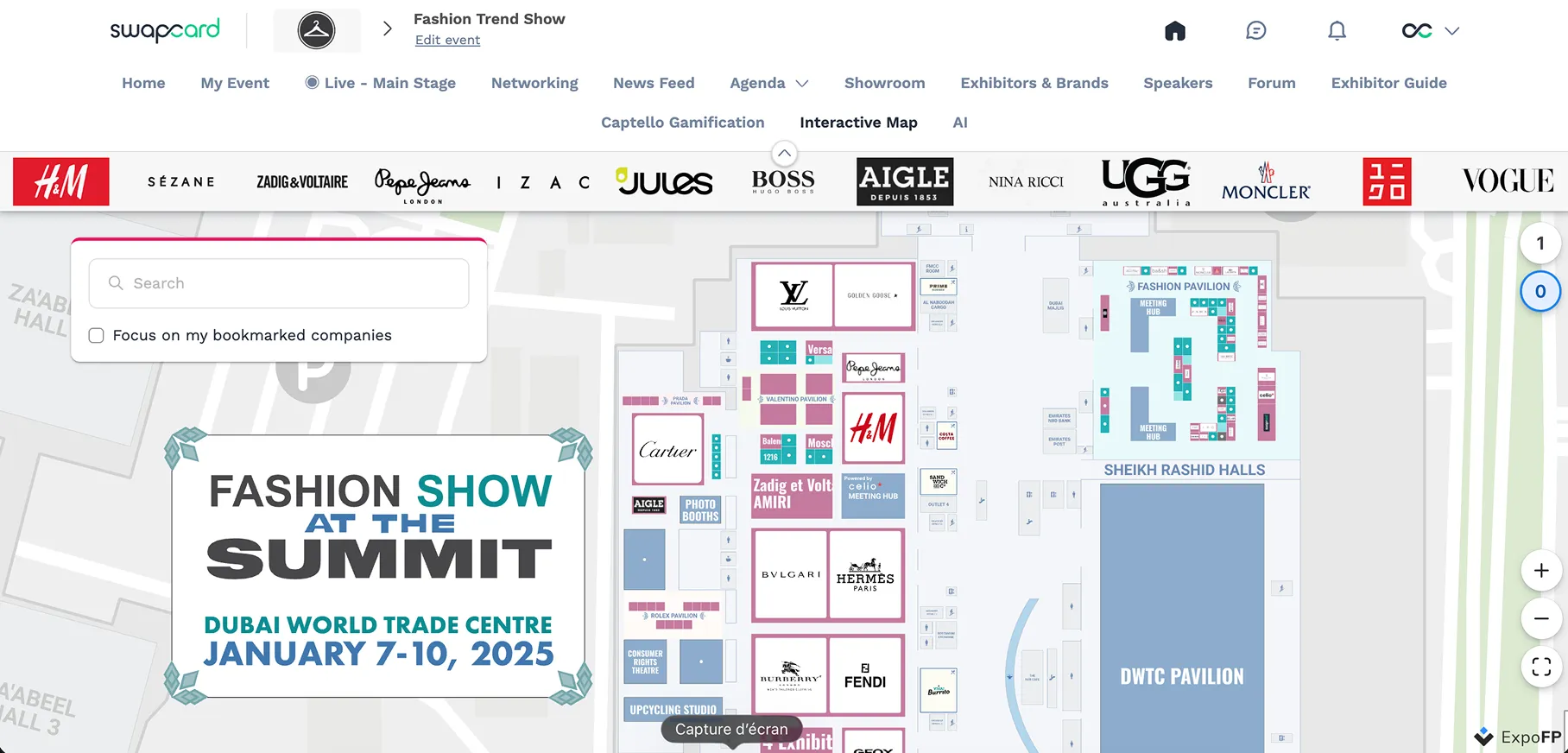
Bring your event venue to life with fully interactive, real-time floor plans. Enhance attendee navigation, drive booth traffic, and simplify onsite operations with our native ExpoFP integration, embedded directly in the Swapcard app and platform.


Why Integrate Swapcard with ExpoFP?
ExpoFP and Swapcard work together to turn static maps into dynamic, interactive floor plans. With real-time syncing, built-in navigation, and interactive booth features, organizers reduce manual work while attendees enjoy a seamless experience from the show floor to the event app. Whether you are running a trade show, conference, or multi-venue event, this integration offers total control and a polished, mobile-first experience.
- Immersive navigation. Display your event floor plan with clickable maps tied to exhibitor profiles, meetings, and sessions.
- Automatic exhibitor sync. Booth assignments and exhibitor information update automatically from Swapcard to ExpoFP.
- Built for complex venues. Ideal for large-scale exhibitions or multi-building layouts requiring accurate indoor navigation.
- Enhanced exhibitor visibility. Showcase booth details, categories, and company branding directly within the map.
- Improved attendee experience. Help attendees find their way faster and spend more time engaging with content and exhibitors.
.webp)
What the Integration Enables
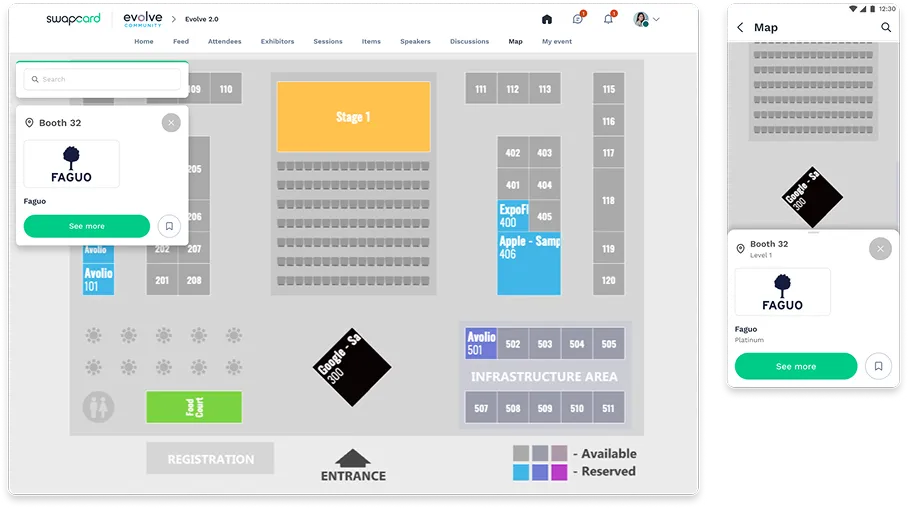
- Interactive floor plan experience – Build your map in ExpoFP and deliver a fully integrated, real-time navigation experience inside Swapcard’s web and mobile app.
- Real‑time data sync – Exhibitor and booth information updates automatically in Swapcard without manual changes.
- Powerful search & filtering – Attendees can search and filter by booth, company, category, or sponsor level.
- Integrated exhibitor profiles – Attendees can tap a booth on the map to view company info, team members, products, and sessions, without leaving the map.
- Personalized navigation – Bookmarked exhibitors appear directly on the map to help attendees plan their visit.
- Booth reservation and sponsorship tools – Manage booth reservations, sponsorship upgrades, and premium placements via ExpoFP.
- Kiosk mode – Enable maps on touchscreen kiosks throughout the venue. Attendees can search booths, explore the map, and scan a QR code to continue on their mobile app.
- Faster, intuitive onsite navigation – Attendees scan “You Are Here” QR codes around the venue to see their real-time location on the floor plan within the mobile app.
- Customization & branding – Match the floor plan’s look and feel to your event’s brand identity.
- Analytics & heatmaps – Track booth clicks, floor plan views, and popular searches to measure ROI and improve future events.
- Geofencing & notifications – Guide attendees with indoor blue dot navigation and enable targeted push notifications with CrowdConnected.
How It Works
- Create your map in ExpoFP. Design your venue layout or upload a CAD or PDF file.
- Integrate with Swapcard. In Swapcard Studio, go to Event Builder → Pages & Menu, create a Floor Plan page, select ‘’ExpoFP’’, and paste your map URL.
- Customize and publish. Adjust titles, colors, and visibility settings to match your brand.
- Go live and stay updated. Once published, attendees can interact with the live floor plan in Swapcard’s app or web platform. Any changes in ExpoF, such as booth edits or name updates, sync instantly in Swapcard.
Use Cases & Benefits
Why Event Organizers Love ExpoFP Integration with Swapcard
- Fast, no-code setup – Sync booth and exhibitor data in minutes with a native integration—no coding needed.
- Seamless UX – Fully integrated maps with in-app navigation, clickable booths, and real-time search.
- Boosted revenue – Combine Swapcard’s sponsorship features with ExpoFP’s branded floor plans to boost sponsorship earnings by up to 40%, averaging $20,000 per event.
- Real-time insights – Track click data and engagement metrics to optimize floor plans and improve future events.
- Improved attendee experience – Attendees locate themselves using QR codes and navigate your venue with ease.
- Operational efficiency – Eliminate manual updates and reduce support tickets with live syncing.
- Built-in engagement & navigation – Attendees view exhibitor details, book meetings, and explore products, all within the map.
“Our collaboration with ExpoFP is enhancing attendee experiences for in‑person trade shows. Leveraging their specialized map solution, we ensure seamless navigation and precise wayfinding, improving engagement and fostering networking interactions onsite.”
— Baptiste Boulard, CEO of Swapcard
Frequently asked questions about the ExpoFP and Swapcard integration
What does the integration between ExpoFP and Swapcard manage?
.svg)
.svg)
ExpoFP provides interactive floor plans, GPS wayfinding, and booth-level navigation. Swapcard manages registration, networking, exhibitor profiles, sponsorships, and analytics—delivering your ExpoFP map directly within the event experience.
Is the ExpoFP integration native to Swapcard?
Yes. The integration is fully native. ExpoFP maps are embedded directly in the Swapcard platform and support live updates. Just create your map in ExpoFP and paste the link into Swapcard’s Event Builder to activate it.
Can attendees interact with the map on kiosks and view exhibitor profiles?
Yes. ExpoFP maps support kiosk mode and are fully managed in Swapcard. Attendees can search booths, get directions, and scan a QR code to continue on their mobile app. They can also tap a booth to view full exhibitor profiles, including company info, team members, products, and sessions, all without leaving the map.
Can I sell exhibitor upgrades through this integration?
Yes. ExpoFP enables booth reservations, invoicing, and premium placements that sync with Swapcard.
Do I need a separate ExpoFP account?
No. You don’t need to purchase an ExpoFP subscription separately. Swapcard sells ExpoFP floor plans directly and handles the entire implementation, including syncing the interactive map with your event data.

Easily integrate & unify your data
Seamlessly connect your essential event tools and unlock the power of unified data to make data-driven decisions that enhance event success and foster long-term growth.

“Swapcard helped us with the integration of data across our different business units...has helped my team save 2 weeks of work per event.”

Patrick Shields
Director of Customer Success, Informa Tech
Schedule live demo
By submitting this form, you agree to receive periodic emails on insightful content related to events and our product, and in accordance with our Privacy Policy. You can, of course, change your preferences or unsubscribe at any time.

.svg)


.svg)
.svg)
.svg)
.svg)


